
Admission Guidelines
Applicants seeking admission to any programme offered by the Department of English Linguistics, The Islamia University of Bahawalpur, are required to complete the online admission process through the University’s official admission portal.
1. Visit the Admission Portal
Visit the official IUB admission portal:
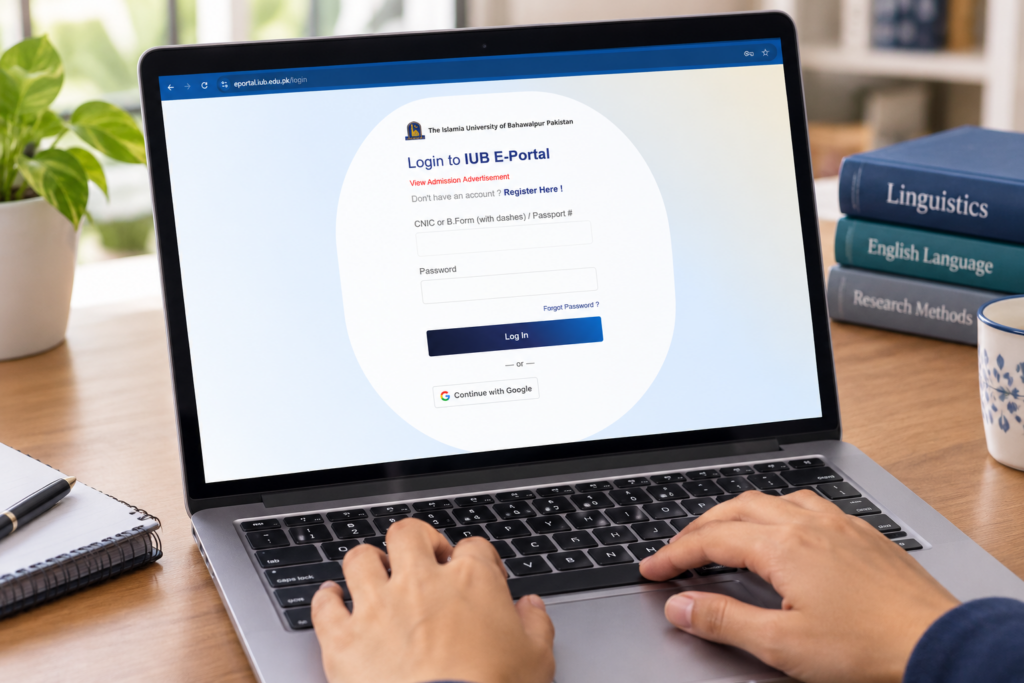
2. Create an Account or Log In
- New applicants: Click “Register Now” and create your account by providing the required information.
- Already registered applicants: Log in using your CNIC and password.
3. Open the Admissions Section
After logging in, click the “Admissions” tab to process your application.
4. Complete Your Profile
Provide all required information accurately and completely under the following sections:
- Personal Information
- Guardian’s Information
- Additional Information
Applicants should carefully review the information entered in their profile, as programme eligibility and the available programme list will be determined on the basis of the qualifications and information provided.
5. Select Your Programme
The system will display a list of programmes based on your entered qualifications and eligibility. The list may also display programmes for which you are not eligible.
Select the relevant programme offered by the Department of English Linguistics, such as:
- Bachelor of Studies in English (English Linguistics)
- ADP / Bachelor of Studies in English (English Linguistics)
- Master of Philosophy in English Linguistics
- PhD English Linguistics
- Diploma in Teaching English as a Foreign Language (TEFL)
Select the programme for which you meet the prescribed eligibility criteria.
6. Review and Submit Your Application
Carefully review all the information provided in your application. Once you have confirmed that the information is complete and accurate, submit your application through the portal.
7. Check Your Application List
After submitting the application, go to “Application List” to view your submitted application(s) and access the relevant fee challan.
8. Pay the Application Fee
Download or pay the applicable fee challan from the Application List. The portal provides the following payment options:
- Pay Online
- Download Fee Challan
- Upload Paid Fee Challan
Applicants may choose the most convenient payment method. Online payment may be made through credit/debit card or supported services such as HBL, Konnect, and JazzCash apps. Alternatively, applicants may print/download the challan and pay it at a designated bank or Konnect counter.
9. Verify Your Payment
After successful payment, the application and fee status will be processed/verified through the admission system. Applicants should check their application status regularly through the portal.
10. Upload Required Documents
Once the application has been submitted and the required fee has been paid, click the “Upload” tab and upload all relevant documents required for the selected programme.
Ensure that:
- all required documents are uploaded;
- the documents are clear and readable; and
- the information provided in the application corresponds with the uploaded documents.
Applicants are advised to carefully review their eligibility, personal information, programme selection, fee payment status, and uploaded documents before completing the application process. Incomplete applications or applications containing inaccurate information may not be considered for admission.
For further information regarding programmes, eligibility criteria, or admission-related queries, please contact the Department of English Linguistics, The Islamia University of Bahawalpur.